Comments & Mentions
Provide insights into the evolution of risks, controls, or evidence items, including capturing decisions made along the way
Written By Micah
On risk, control, and evidence item detail pages, you can keep track of comments for that specific item. Comments in your compliance program enhance collaboration among team members by providing everyone with context about specific resources and decision making. They are a great place to discuss risks, track progress of a control, or provide feedback on evidence attachments. This type of transparency and communication can contribute to the successful execution of your compliance program.
How to use comments
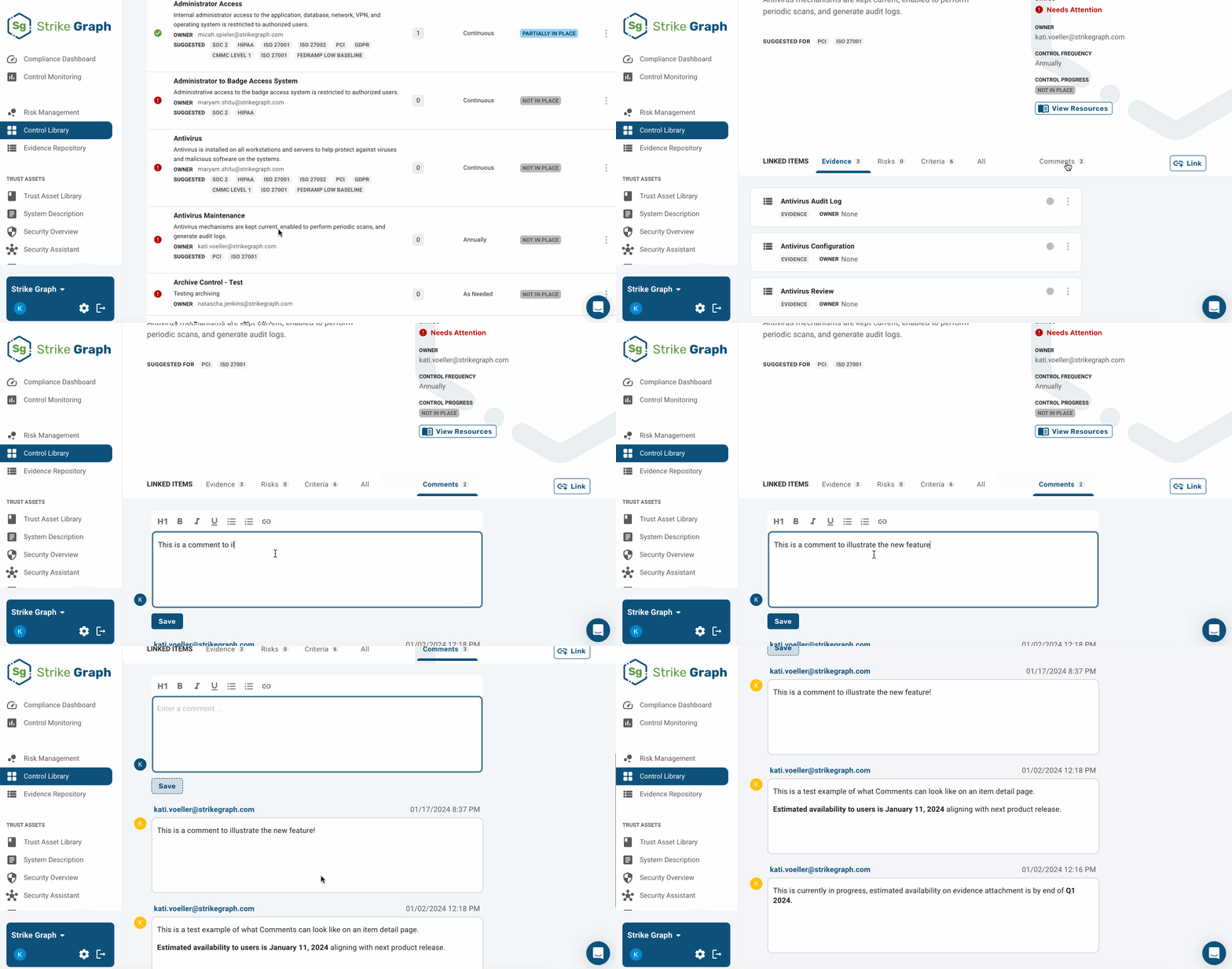
On every risk, control, and evidence item detail page, there is a Comments section. Any user with access to your organization can view the comments and add their own comment, regardless of their role and permission status. For this reason, we recommend that you do not store any sensitive information (like passwords, confidential details, PII, etc) in Comments.
Please note: Comments are not included in exports in either the Audit Export functionality or on Risk Management, Control Library, and Evidence Repository pages.
How to view comments:
Navigate to any risk, control, or evidence item.
Click on the Comments tab.
An overview of interactions across all compliance items is also available through the Comment Activity feature.
Collaboration with @mentions
When you are adding a comment, you can @mention active users in your organization. Just add the "@" symbol followed by their email. Any active user can @mention others in their organization in a comment.
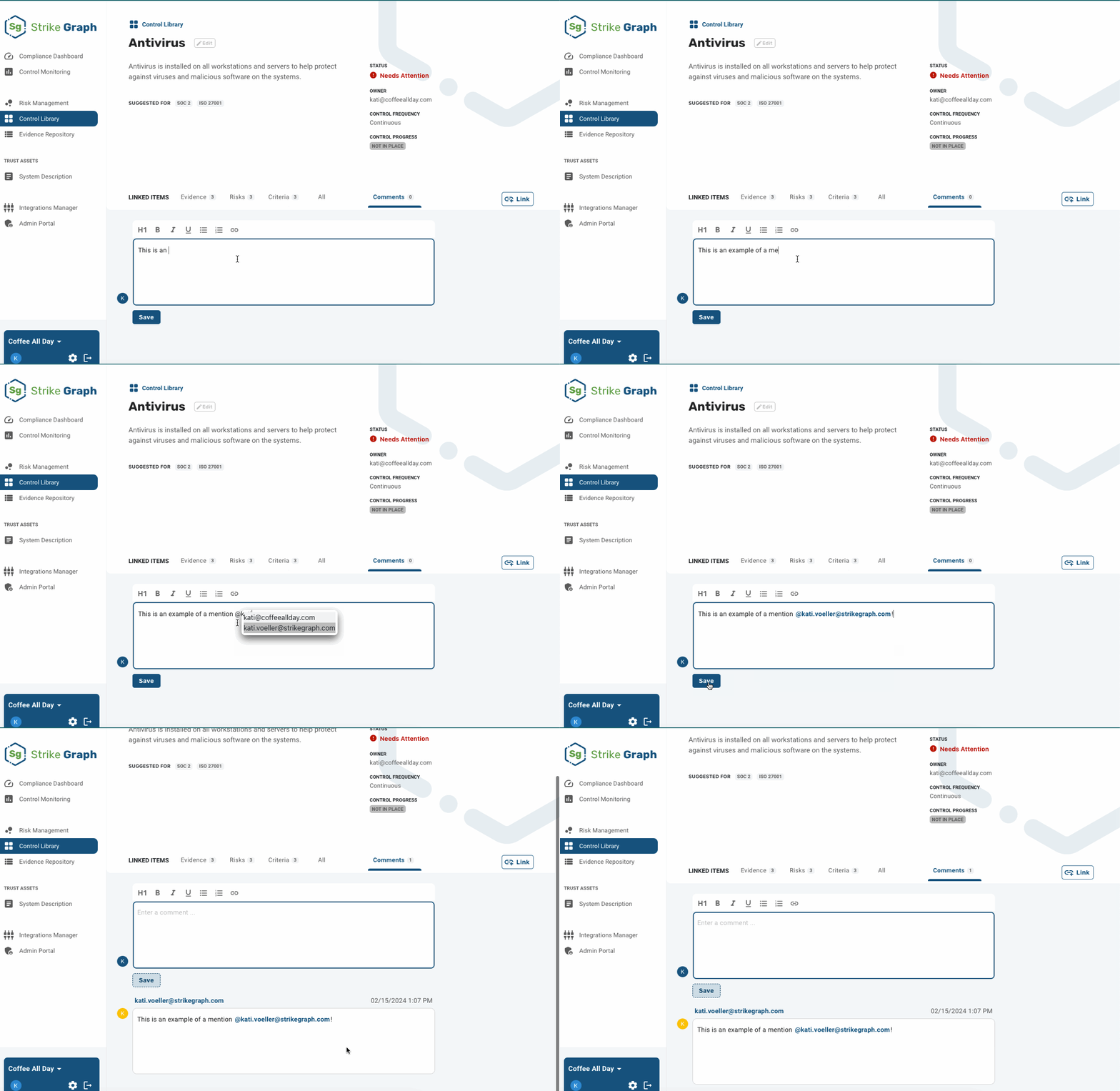
Mentioned users receive an email notification informing them about the new comment and a link to the specific risk, control, or evidence item, allowing them to stay informed and engaged with ongoing developments.
These notifications serve as real-time communication channels, providing a direct link to relevant compliance activities and facilitating quick responses or actions.
Questions?
Reach out through our chat feature for real-time Customer Success support 8 AM-5 PM PT Monday through Friday.
Was this helpful?