Comment Activity
Track comments in your compliance instance in one central location
Written By Micah
Stay Connected with the Comment Activity Tab
Boost collaboration and streamline communication with the Comment Activity feature: your tool for keeping track of all interactions across compliance items. Whether you're tracking comments from auditors, collaborating with your Customer Success Manager, or simply staying on top of ongoing comments on your items, the Comment Activity feature provides real-time visibility into every discussion in your compliance instance, ensuring nothing slips through the cracks.
Where to find Comment Activity
Comment Activity is a tab on the Monitoring dashboard. The Monitoring dashboard requires Manager permissions, so Comment Activity is available to users with Manager permissions. If you don't see the Monitoring dashboard in your navigation, reach out to support or your Customer Success Manager.
How to navigate Comment Activity
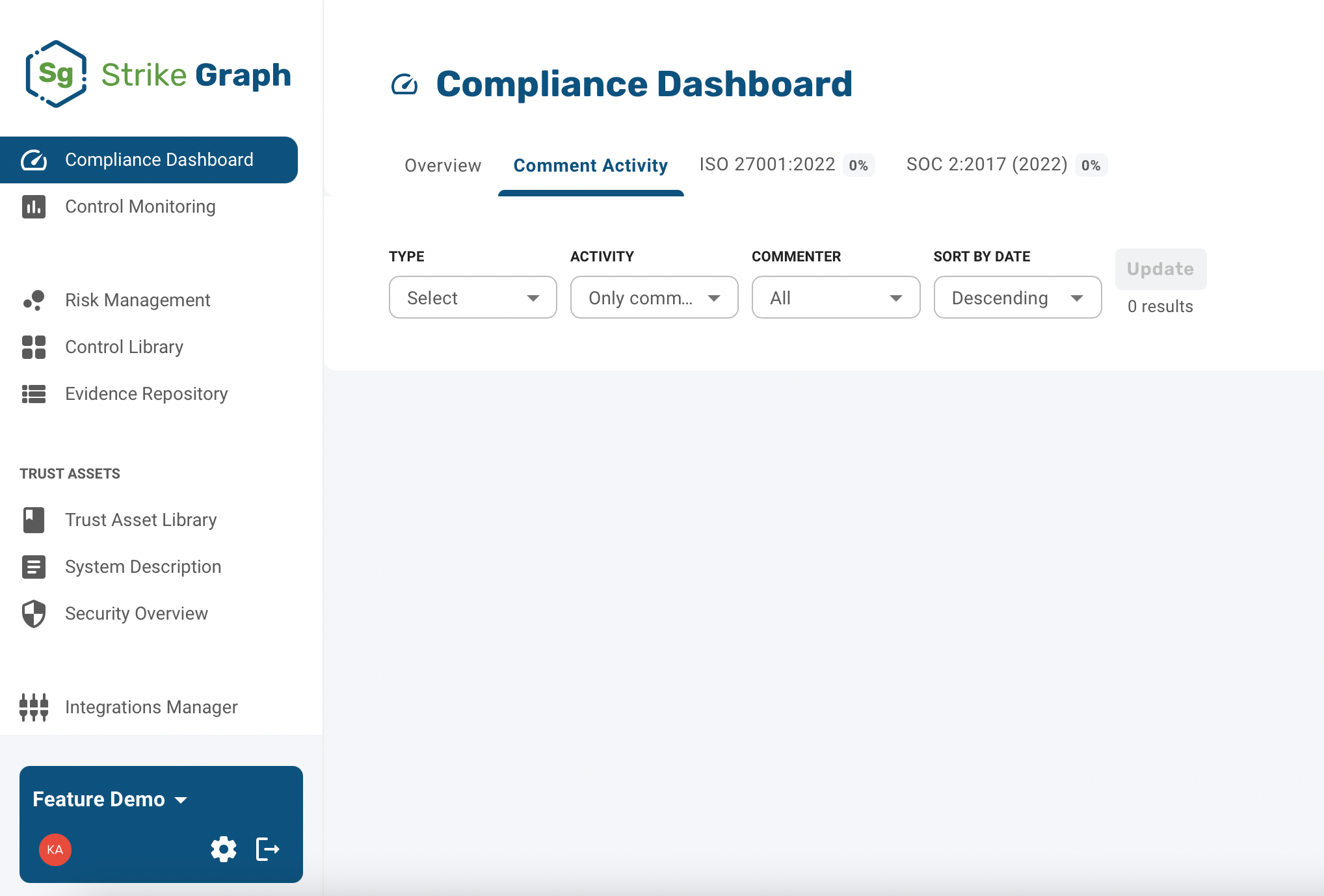
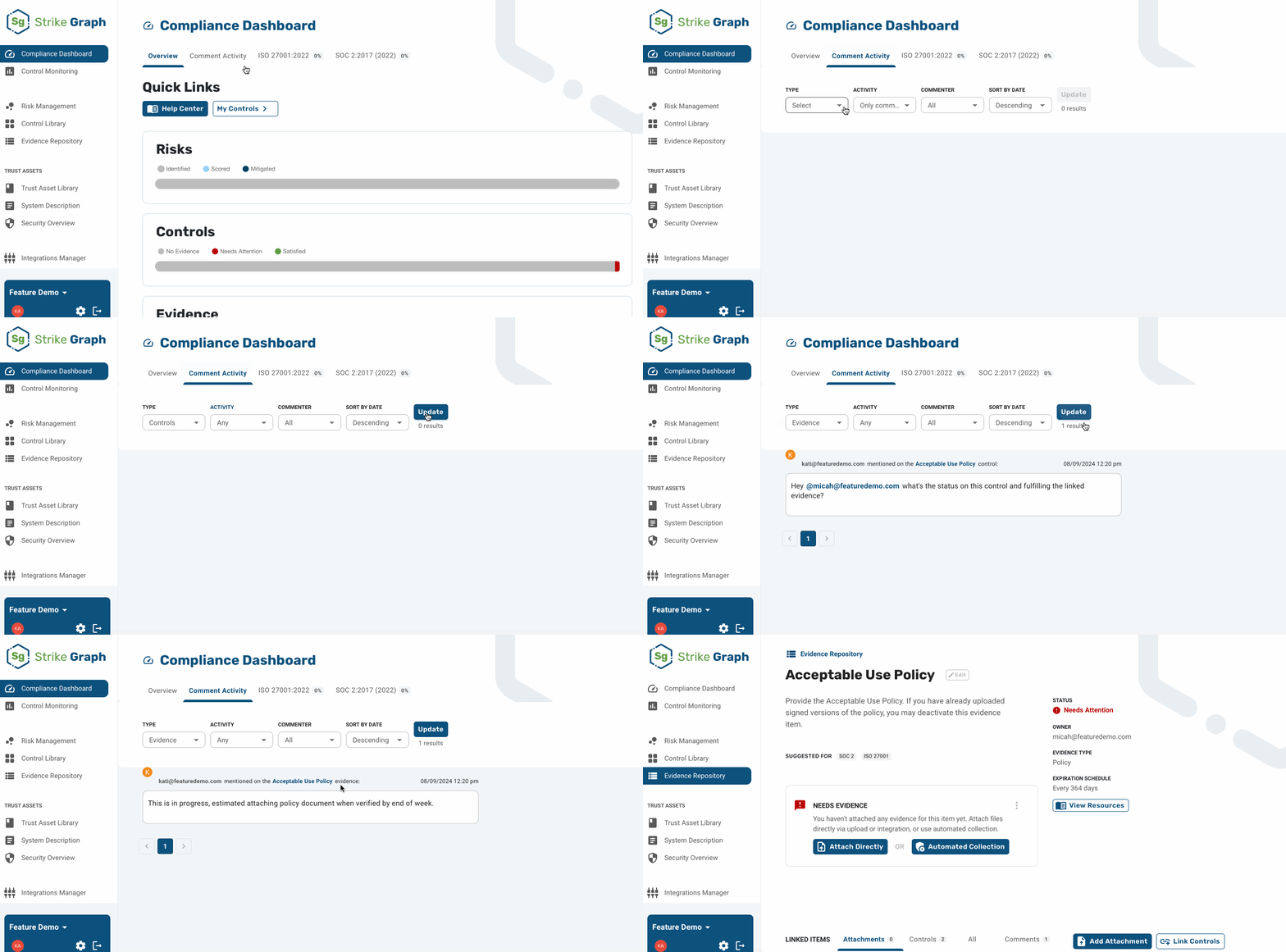
Go to the Monitoring dashboard and click the Comment Activity tab.
Use Search comments to find comments containing specific text. Press Enter or click Search to apply it.
Use the Type filter to choose which items you want to see comments on: Controls, Evidence, or Risks. You can select more than one type, and at least one type always stays selected.
Use the Commenter filter to see comments from a specific user in your compliance instance, such as an auditor, a compliance manager, or your Customer Success Manager.
Use the Status filter to show All comments, or to narrow the feed to Open or Resolved comments.
Use the Sort filter to order comments Newest first or Oldest first.
Use the date range selector below the filters to limit the feed to comments created within a specific period.
Turn on the My items / mentions toggle to narrow the feed to comments on items you own, plus any comment that mentions you. Leave the toggle off to see comments on all items, including risks, controls, and evidence you are not the owner of.
Click Search to apply your filters and refresh the results.
Click a comment to open the detail page for that item. In the example below, clicking the Acceptable Use Policy evidence comment opens the Acceptable Use Policy evidence item.
If there are more results than fit on screen, click Load more at the bottom of the feed to see the next set.
Exporting the Comment Activity feed
Click Download CSV to export the comments that currently match your filters. Use this to share a comment history with people outside Strike Graph, or to keep a record alongside your audit materials.
More information on using comments and mentions is available here.
Questions?
Reach out through our chat feature for real-time Customer Success support 8 AM-5 PM PT Monday through Friday.
Was this helpful?