Action Items (POAMs)
Create a project task list and link them to relevant items in your compliance program
Written By Micah Spieler
Project Management
Managing compliance tasks just got a whole lot easier! Our new Action Items feature allows you to make tasks oriented across compliance framework criteria, risks, controls, and evidence. Track gaps, assign tasks, set deadlines, and demonstrate progress—all in one secure, audit-ready workspace. This tool helps you keep track of all of your milestones each step of the way.
Instead of manually tracking deficiencies and action items across spreadsheets and documents, you can:
Assign Ownership and Deadlines: Collaborate across teams by assigning tasks, setting due dates, and tracking real-time progress toward remediation.
Demonstrate Intent and Progress: Show assessors and stakeholders that your organization has a structured plan in place, an essential part of achieving and maintaining compliance.
Stay Audit-Ready: Keep a centralized, up-to-date record of all open items, completed actions, and milestones, so you're never scrambling before an audit.
Each Action Item will contain a detailed description and an option to include a relevant Action Plan.
CMMC Plan of Action and Milestones (POAMs) Using Action Items
You can use Action Items to track POAMs for CMMC compliance. Action Items can be linked to specific CMMC requirements by navigating to the requirement in the framework tree and creating an action item linked to that requirement.
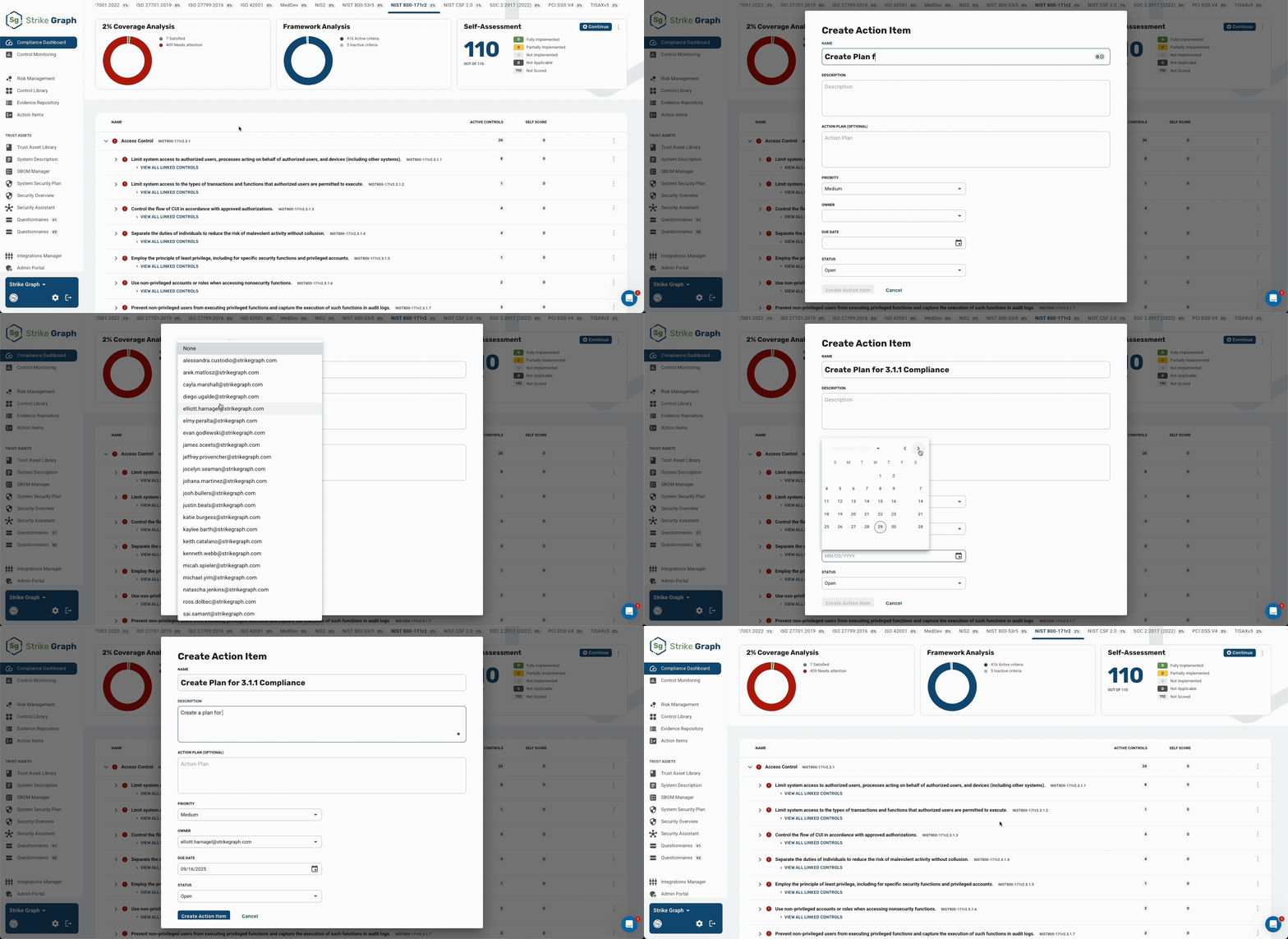
Once it's time for audit, you can download your Action Items in a csv format to show that POAMs are tracked and have been remediated.
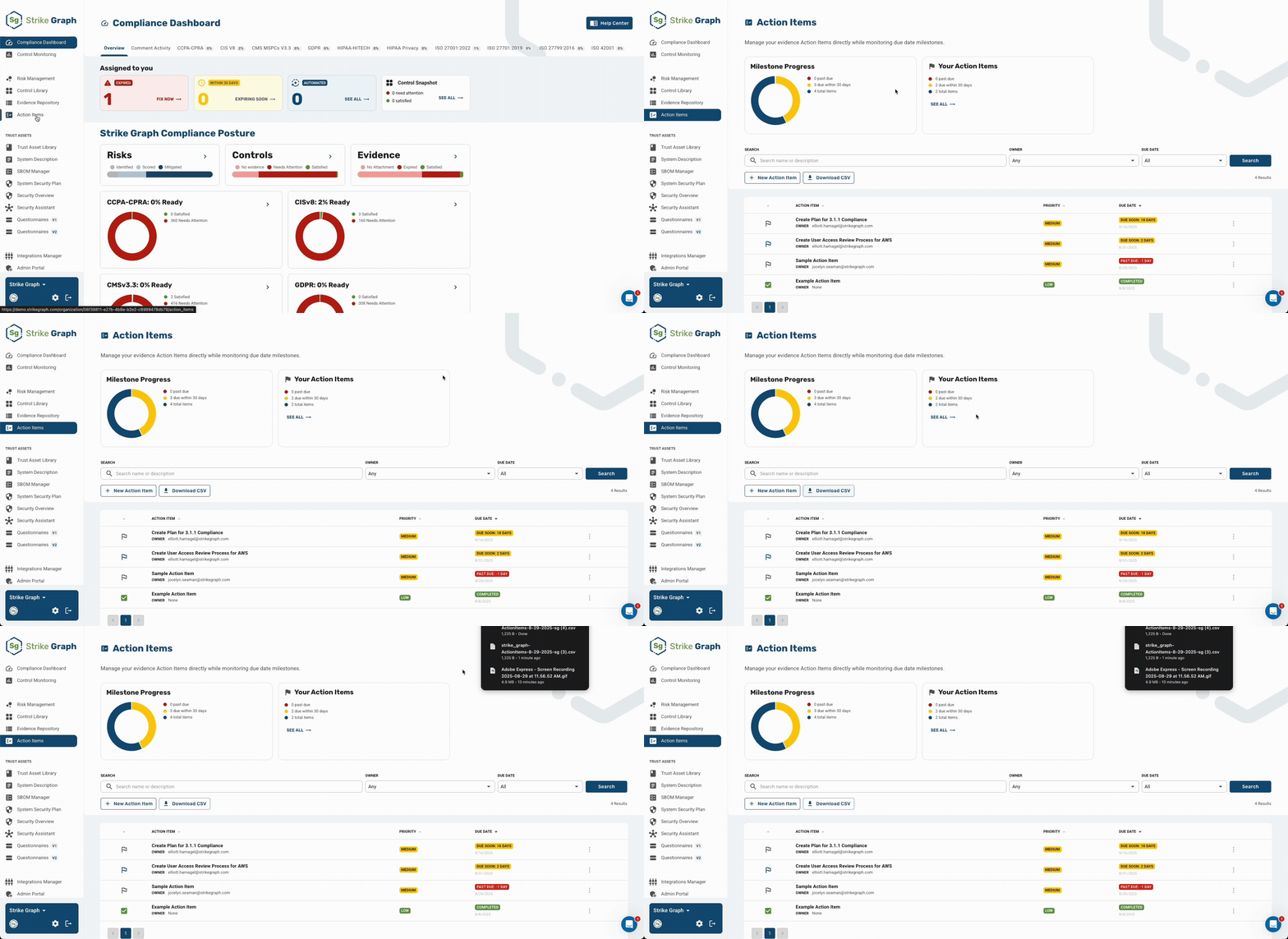
Action items on detail pages
Action items can appear directly on the detail pages of other objects in your compliance program, so you can track remediation work without leaving the item you are looking at. Each entry in the Action Items tab shows the action item's current status, name, owner, priority, and due date.
Risk detail pages are the first to support this: open any risk and switch to the Action Items tab to see every action item linked to that risk. You can also create a new action item from the overflow menu on the tab, and it will be linked to the risk automatically. If no action items have been linked yet, the tab displays an empty state with a prompt to create one.
Support for action items on control and evidence detail pages is coming soon.
How to Create an Action Item
As noted above, you can create Action Items from the Framework Tree. You can also create them directly from the Action Items tab and link them to controls, evidence items, risks, or criteria. Additional entry points include the overflow menu on a risk's detail page, which creates an action item linked to that risk, and the overflow menu on an unreviewed evidence attachment, which pre-fills the action item with the attachment and evidence context. For more on creating action items from evidence review, see the Evidence Attachment acceptance workflow article.
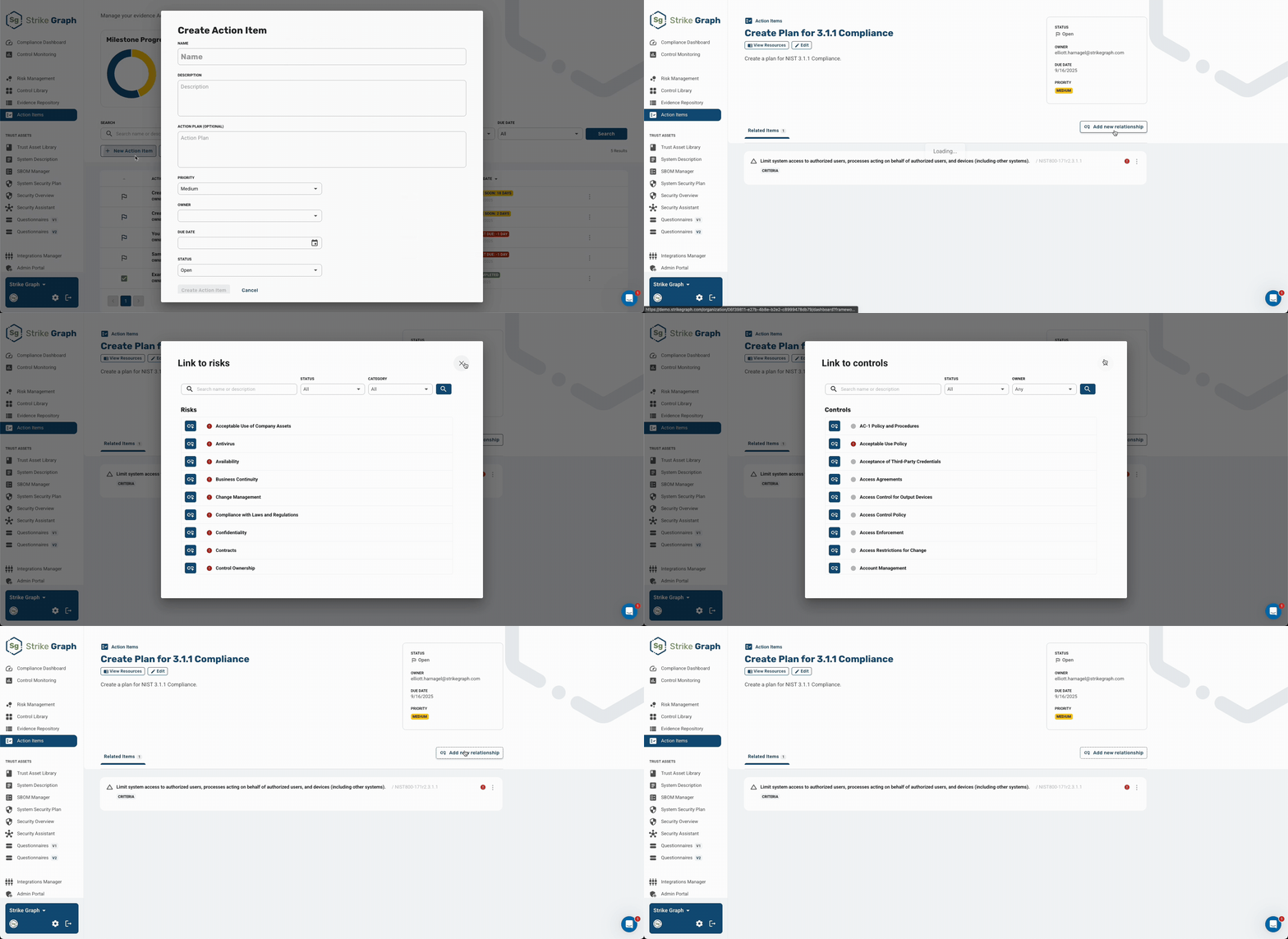
You can assign ownership of action items when they are created, or after creation. Owners receive an email notification when they are assigned so that you can easily delegate tasks out to your team.
Video Demo
A more detailed video overview of the Action Items feature can be found at the 9:00 minute mark in this video.
Was this helpful?